A restored document that reads back as data
Restoration that stops at an image leaves the work half done. Every console reads its documents back as fields, and then checks them the way the document itself allows: MRZ check digits, barcode checksums, ledger totals, plan closure, grade agreement across two independent reads.
- checked
- against the document's own arithmetic
- withheld
- values exported in their own column
- sourced
- every field carries its crop
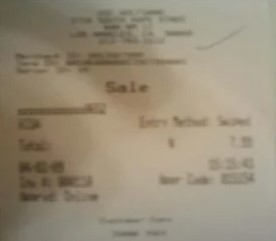
Fields read back
A photographed receipt read back as checked fields - value by value, each with a tick, then exported as CSV. This is the capture running live, not a mock-up.
One precious page, or a whole shelf of them. Data Capture & OCR runs the same either way — here is the damage it takes on, and the records it runs across.
and the records it runs across
Why this is harder than it looks
Generic OCR gives you text with uniform, unwarranted confidence. On a document that has just been restored, that is dangerous - the fields most likely to be wrong are exactly the ones that were most damaged, and nothing in the output tells you which those are.
What this handles
- Identity fields and MRZ lines
- Ledger columns and running balances
- Grade tables and credit totals
- Lab analytes with units and ranges
- Form fields and checkbox states
- Reference numbers with check digits
How data capture & ocr runs
The same three moves on every job, and the third one is the part most tools skip.
Read as fields
Values come out against the document's own structure - analyte, value, unit, range - rather than as an undifferentiated block of text.
Check against itself
Whatever check the document supports is run: check digits recomputed, columns totalled, traverses closed, grades read twice.
Withhold and mark
Anything that fails its check or falls below confidence is withheld and listed in its own column, so a blank is never mistaken for a clean read.
What actually happens to the page
The danger with OCR is not that it is wrong - it is that it is wrong with confidence. Three moves make the output tell you which fields to trust.
Values come out against the document's own structure
Identity fields, ledger columns, grade tables, lab analytes, form fields, reference numbers - each is read as what it is, against the structure of the document, rather than as an undifferentiated block of text. Every field carries its confidence and its source crop.
- Structured fields with units and ranges
- Confidence and source crop travel with each
- Checkbox and form states read as values
Whatever check the document supports is run
IDs and travel documents have check digits; ledgers have totals; survey plans have closure; transcripts get two independent reads. Consoles without an arithmetic check use a second reader instead - so nothing rests on a single confident pass.
- Check digits and checksums recomputed
- Columns totalled and traverses closed
- Two independent reads where there is no arithmetic
A blank is never mistaken for a clean read
Anything that fails its check or falls below confidence is withheld and listed in its own column, distinct from a field that was genuinely blank on the document. Conflating those two is how bad data enters a system - so they are kept apart on export.
- Withheld values exported in their own column
- Distinct from fields that were genuinely blank
- CSV export built in; batch registers as one table
How the data leaves the building
Capture is only useful if it lands somewhere you can reconcile against. A few things make the export trustworthy on arrival.
Withheld ≠ blank
A value that was read but failed its check gets its own column, separate from a field that was genuinely empty on the page.
The right check per doc
Check digits, totals, closure or two independent reads - whichever the document supports is the one that runs.
CSV for every console
Export is built in everywhere; batch registers come out as one table for reconciliation against your existing records.
Nothing inferred
No field is filled by inference from the text around it - a damaged value is withheld, not guessed from its neighbours.
Built to be trusted at the edges
Data Capture & OCR is one capability inside a pipeline built on a single idea: a restoration you cannot trust at the edges is a picture of one.
Everything is read back
Every restored page is read as text and compared against what was legible before, so nothing appears out of nowhere without being flagged.
The original is never lost
The untouched capture is always delivered beside the restoration - the recovery is a new version, never an overwrite.
Refusals are the product
What cannot be recovered is marked, not guessed. The guarantee is built into how the pipeline runs, not asked of a model.
It reads back as data
Fields come out checked against the document's own arithmetic, with withheld values kept in their own column - never mixed with blanks.
One sheet or a whole shelf
Per-page isolation means a single difficult document never stops the run - each page keeps its own progress, result and failure.
Free to try, no card
Free to start, no watermark, and if a document is not recoverable we would rather tell you than sell you a plan.
Where a general-purpose tool goes wrong
The same page, two philosophies. One optimises for a convincing picture; the other for a correct one - and says so when those two part ways.
What most tools do
- Text out with uniform, unwarranted confidence
- No idea which fields were most damaged
- Blanks and failed reads look identical
- Guesses a field from the ones around it
What Docovly does
- Structured fields with confidence and crop
- Checked against the document's own arithmetic
- Withheld values kept apart from blanks
- No field filled by inference from neighbours
What it will not do
Enforced by how the pipeline is built rather than by instructions given to a model - which is the only kind of guarantee worth writing down.
- 1Every field carries its confidence and its source crop
- 2Withheld values are exported separately from empty ones
- 3No field is filled by inference from surrounding text
checked
against the document's own arithmetic
withheld
column, separate from blanks
crop
and confidence on every field
CSV
export built into every console
Consoles that use this capability
Data Capture & OCR, answered
What people ask before sending us documents to recover, verify and deliver.
Have a document you are not sure about?
Send us a photograph of it. We will tell you honestly whether it is recoverable before you spend anything.
Ask usThat the value was read but did not clear its check or its confidence floor. It gets its own column, distinct from a field that was genuinely blank on the document - conflating those two is how bad data enters a system.
Also in Recover & deliver
Recover it, then read it back
Whatever state it is in - faint, cramped, sealed, or a shelf of them. Free to start, no card, and the original is never overwritten.