A form is a structure. It gets read as one
Filled-in forms are the one document family where the layout is known in advance. Field boxes, checkmarks and barcodes are located first, then read as fields - so the output is a record, not a wall of text.
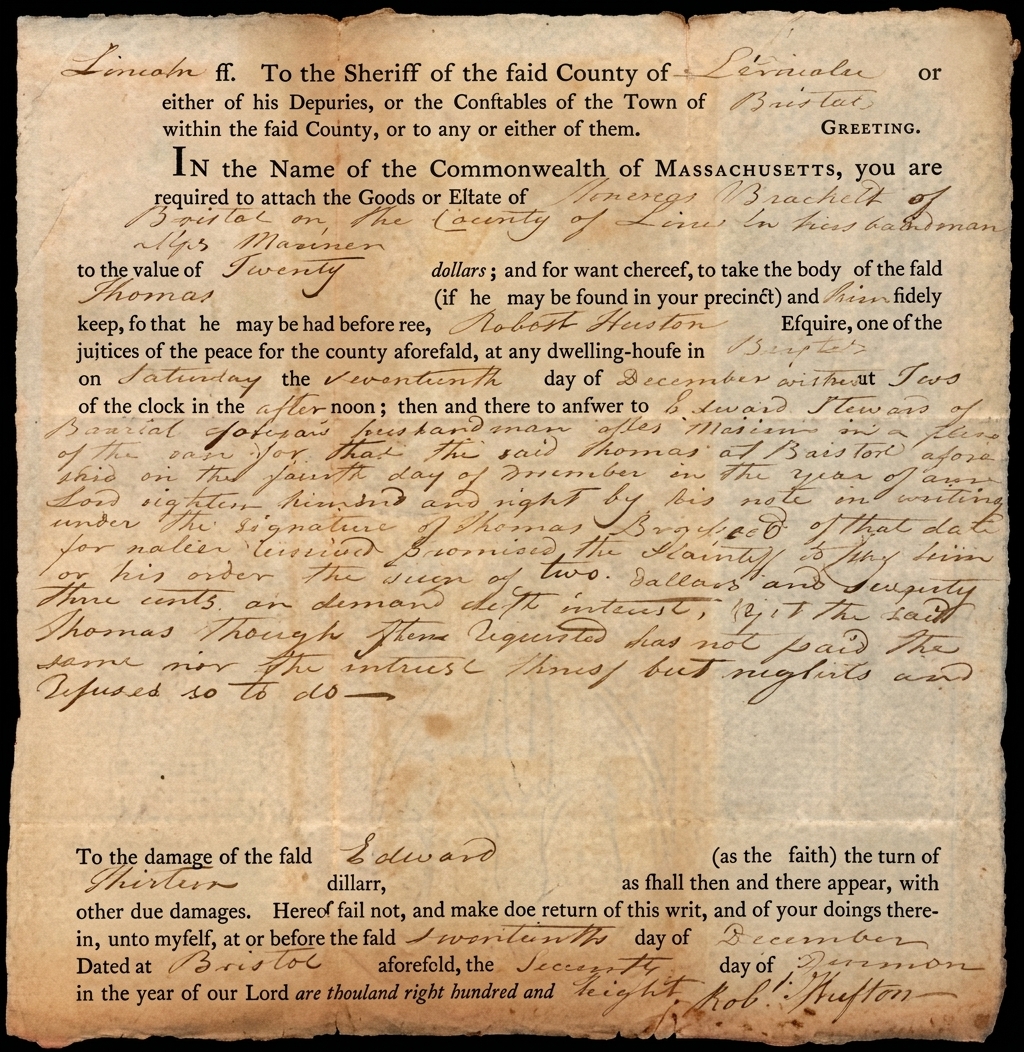
Fields read
- ✓Full nameM. Ashcombe
- ✗Consentdeclined
- Middle nameempty
- ?Signatureambiguous
A cleaning passes across the page; the damage lifts and the text is read back. Every job keeps the untouched original.
Every kind of forms & applications we restore
4
checkbox states
field
level audit trail
batch
one layout, all copies
CSV
one table out
What goes wrong with these documents
The survey vocabulary is specific to this document family, because the damage is. Recording it is what produces the restoration instruction - there is no prompt box.
- Faint pencil and ballpoint entries
- Checkbox ticks bleeding outside the box
- Dropout-colour boxes lost in scanning
- Fax and copier degradation
- Coffee rings across answer fields
- Skewed and cropped scans
Survey, treat, read, deliver
Every job follows the same careful path, and each treatment lands as its own revertible version with a record of what was done.
- 1
Find the structure
The form's field boxes, checkmarks and barcodes are located first, because the layout is known in advance.
- 2
Read the fields
Each labelled field is read as its own value, with faint pencil and ballpoint entries pulled back.
- 3
Resolve the boxes
Ticked, crossed, empty and ambiguous are treated as four separate states, not two.
- 4
Audit every value
Every captured field carries its confidence and a crop of the exact pixels it came from.
What this console can do to a page
Any treatment can run on a single page or across a whole collection, and each lands as its own revertible version.
Form copy
A clean copy with boxes and rules restored.
Field extraction
Reads each labelled field as its own value.
Checkbox reading
Determines ticked, crossed, empty and ambiguous states.
Barcode reading
Decodes form-routing barcodes and verifies them.
Handwriting recovery
Faint pencil and ballpoint entries pulled back.
Field audit
Every captured field carries its confidence and source crop.
Every treatment, shown happening
No sliders to drag - each clip is the fix itself, playing on a loop. The foxing lifting, the halftone resolving, the old hand read back into text.
Four checkbox states, not two
Ticked, crossed, empty and ambiguous are read as four separate states, so an unclear mark is reported as ambiguous rather than guessed.
- Ticked and crossed distinguished
- Empty read as empty
- Ambiguous reported, not guessed
- Bleed outside the box handled
APPLICATION FORM A-12
- ✓Applied for membershipticked
- ✗Consent to contactcrossed
- Second applicantempty
- ?Prior memberambiguous
- ✓Gift aid declarationticked
- ✗Marketing opt-incrossed
- Newsletter by postempty
- ✓Signature presentticked
Each field read with its confidence
Every labelled field is read as its own value and delivered with a confidence score and a crop of the exact pixels it came from.
- Read by the form's structure
- Faint pencil pulled back
- Confidence on every field
- Source crop kept beside the value
Fields extracted
- Full nameMara Ashcombe0.99
- Date of birth14 · 05 · 19910.98
- NationalityAldoran0.97
- OccupationArchivist0.95
- PostcodeAL4 7BR0.72
- Telephone01xx 44710.68
- ReferenceA12-44710.99
- Signaturepresent0.99
A routing barcode decoded and verified
Form-routing barcodes are decoded and checked against their checksum, so a recovered code is one that actually scans.
- 1D and 2D symbols decoded
- Checksum verified
- Header code kept uncropped
- Batches routed correctly
A12-4471 ✓
Checksum verified
A form is a structure. It gets read as one
Filled-in forms are the one document family where the layout is known in advance. Field boxes, checkmarks and barcodes are located first, then read as fields - so the output is a record, not a wall of text.
- Fields are located by the form's own structure, then read as values.
- Ticked, crossed, empty and ambiguous are four separate states.
- Every field carries its confidence and a crop of the pixels it came from.
- Routing barcodes are decoded and checksum-verified.
Field audit
- Checkbox states
- four, not two
- Every field
- confidence + crop
- Barcode
- checksum verified
10 document types
Everything this console takes in
Pick the type before you upload and the uploader, format rules and checks follow from it.
Captured as data
What is read back off the page
Every field carries its confidence and its source crop, and anything that fails a check is withheld into its own export column rather than delivered.
Capture guidance
Get this right and everything downstream is easier
- 1Scan forms flat and square - field detection follows the rules.
- 2Do not crop the form ID or barcode from the header.
- 3Greyscale preserves faint pencil better than pure black-and-white.
The jobs this console is built for
Real reasons people restore these documents - an exhibition, a family album, a searchable archive before the paper gives out.
A batch of application forms
Thousands of the same form read against one structure and exported as a single table.
A survey for analysis
Handwritten survey responses read field by field, ambiguous marks flagged rather than guessed.
A claim form for a file
Faint pencil entries pulled back and every field delivered with its confidence and crop.
field-level
audit trail
Filled-in forms are the one document family where the layout is known in advance. Field boxes, checkmarks and barcodes are located first, then read as fields - so the output is a record, not a wall of text. The untouched original is always delivered alongside the restored file.
What runs behind this console
A legible copy of a document you already hold
Restoration is a reading aid and an archival tool. Being plain about the line it does not cross is part of the product.
- Cleans up filled-in forms and reads them as records
- Reads four distinct checkbox states
- Carries confidence and a source crop for every field
- Decodes and verifies routing barcodes
- Guess an ambiguous checkbox as ticked
- Deliver a value without its confidence
- Invent a field the form does not contain
- Discard the untouched original
“It read a claim form and flagged the one checkbox that was genuinely ambiguous instead of guessing it. Four states rather than two is exactly right.”
Forms & Applications, answered
The questions people ask before sending us this kind of document.
Have a document you are not sure about?
Send us a photograph of it. We will tell you honestly whether it is recoverable before you spend anything.
Ask usEvery captured field carries its own confidence and a crop of the exact pixels it came from. Reviewing a form means looking at the crop beside the value, not re-reading the whole page.
Also in Heritage & Media
Try it on your worst forms & application
Free to start, no card. The untouched original is always delivered alongside the restored file.