The dots are the printing. The picture is underneath
A newspaper photograph is not an image with noise on it; it is an image encoded as dots. Sharpen it and you amplify the encoding into moire. Denoise it and you erase the picture. Descreening measures the screen's frequency and angle, then removes exactly that.
- measured
- screen frequency and angle
- per-channel
- colour rosettes handled apart
- text-safe
- line art excluded from descreening
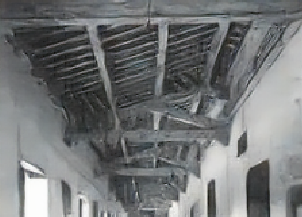
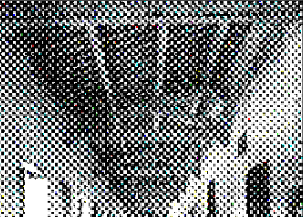
A printed photograph reduced to a field of halftone dots, with the screen measured and removed to bring back the continuous-tone image underneath. Drag the seam.
One precious page, or a whole shelf of them. Descreening & Halftone runs the same either way — here is the damage it takes on, and the records it runs across.
and the records it runs across
Why this is harder than it looks
Every printed photograph before the digital era passed through a halftone screen. Scanning re-samples that screen and produces interference patterns that get worse the more you try to clean them with general-purpose tools.
What this handles
- Moire patterns on scanned newspaper photos
- Visible dot structure on magazine images
- Rosette patterns in colour printing
- Dot gain filling in dark areas
- Interference bands across scanned plates
- Comic and pulp print screens
How descreening & halftone runs
The same three moves on every job, and the third one is the part most tools skip.
Measure the screen
The screen's line frequency and angle are measured from the page itself rather than assumed, because they vary by press, era and colour channel.
Remove at frequency
The screen is removed at its measured frequency, which leaves image detail that sits at other frequencies completely intact.
Recover continuous tone
The continuous-tone image the screen was encoding is reconstructed, and paper yellowing is corrected separately.
What actually happens to the page
Scanning re-samples the screen and produces interference that gets worse the more a general-purpose tool tries to clean it. The answer is to measure the screen, not fight it.
Frequency and angle are read from the page, not assumed
The screen's line frequency and angle are measured from the document itself, because they vary by press, era and colour channel. Assuming a value is how descreening tools introduce their own moire - the measurement is what makes the removal clean.
- Line frequency and angle measured per document
- Varies by press, era and channel - so not preset
- Rosette angles in colour work read separately
The screen goes; detail at other frequencies stays
The screen is removed at its measured frequency, which leaves image detail sitting at other frequencies completely intact. That is the difference between lifting the encoding and blurring the picture - and it is why a 600 DPI scan matters, so the screen is resolvable before it is measured.
- Screen subtracted at its own frequency
- Image detail at other frequencies preserved
- 600 DPI or better so the screen resolves
The picture the dots encoded is reconstructed
The continuous-tone image the screen was carrying is reconstructed, and paper yellowing is corrected separately so cleaning the image never tints the page. Colour presses lay each channel at its own angle - that is what produces rosettes - so each channel is measured and handled apart.
- Continuous-tone image reconstructed from the screen
- Colour rosettes handled per channel
- Paper yellowing corrected as its own step
Scanning halftone material well
Descreening can only work with a scan that resolves the screen. A few settings decide whether the dots can be measured at all.
Scan at 600 DPI+
The screen has to be resolvable before it can be measured; a 300 DPI scan of a 150 lpi screen has already aliased.
Colour is per-channel
Each channel is laid at its own angle, producing rosettes - so each is measured and descreened separately.
Text is never touched
Line art is excluded from descreening and treated by the text restoration path, so type stays crisp.
Yellowing is separate
Paper tone is corrected as its own step, so recovering the picture never casts a tint across the page.
Built to be trusted at the edges
Descreening & Halftone is one capability inside a pipeline built on a single idea: a restoration you cannot trust at the edges is a picture of one.
Everything is read back
Every restored page is read as text and compared against what was legible before, so nothing appears out of nowhere without being flagged.
The original is never lost
The untouched capture is always delivered beside the restoration - the recovery is a new version, never an overwrite.
Refusals are the product
What cannot be recovered is marked, not guessed. The guarantee is built into how the pipeline runs, not asked of a model.
It reads back as data
Fields come out checked against the document's own arithmetic, with withheld values kept in their own column - never mixed with blanks.
One sheet or a whole shelf
Per-page isolation means a single difficult document never stops the run - each page keeps its own progress, result and failure.
Free to try, no card
Free to start, no watermark, and if a document is not recoverable we would rather tell you than sell you a plan.
Where a general-purpose tool goes wrong
The same page, two philosophies. One optimises for a convincing picture; the other for a correct one - and says so when those two part ways.
What most tools do
- Assumes one screen value for every scan
- Sharpens the dots into worse moire
- Blurs the picture away trying to denoise
- Tints the type while cleaning the image
What Docovly does
- Measures frequency and angle from the page
- Removes the screen at its own frequency
- Reconstructs the continuous-tone picture
- Text and paper yellowing handled separately
What it will not do
Enforced by how the pipeline is built rather than by instructions given to a model - which is the only kind of guarantee worth writing down.
- 1Screen parameters are measured per document, not preset
- 2Text on the same page is excluded from descreening
- 3Colour rosettes are handled per channel
measured
screen frequency and angle, per document
per-channel
colour rosettes handled apart
600 DPI
the resolution the screen needs to resolve
text-safe
line art excluded from the pass
Descreening & Halftone, answered
What people ask before sending us a document that needs this kind of clean-up.
Have a document you are not sure about?
Send us a photograph of it. We will tell you honestly whether it is recoverable before you spend anything.
Ask us600 DPI or better for halftone material. The screen has to be resolvable before it can be measured, and a 300 DPI scan of a 150 lpi screen has already aliased.
Also in Clean the page
Put the messy one in first
The grimy, folded, badly-photographed page you assumed was a lost cause. Free to start, no card, and the original is never overwritten.