Clean the age off a page without erasing its age
There is a version of clean that is worse than dirty: a 1920s letter processed into something that looks like it was laser-printed yesterday. Old page cleaning removes deposit, speckle and acidic yellowing, and leaves the paper's own grain, deckle and tone exactly as chosen.
- 3
- paper tones to finish on
- grain-safe
- texture and deckle kept
- content
- marginalia preserved, not wiped
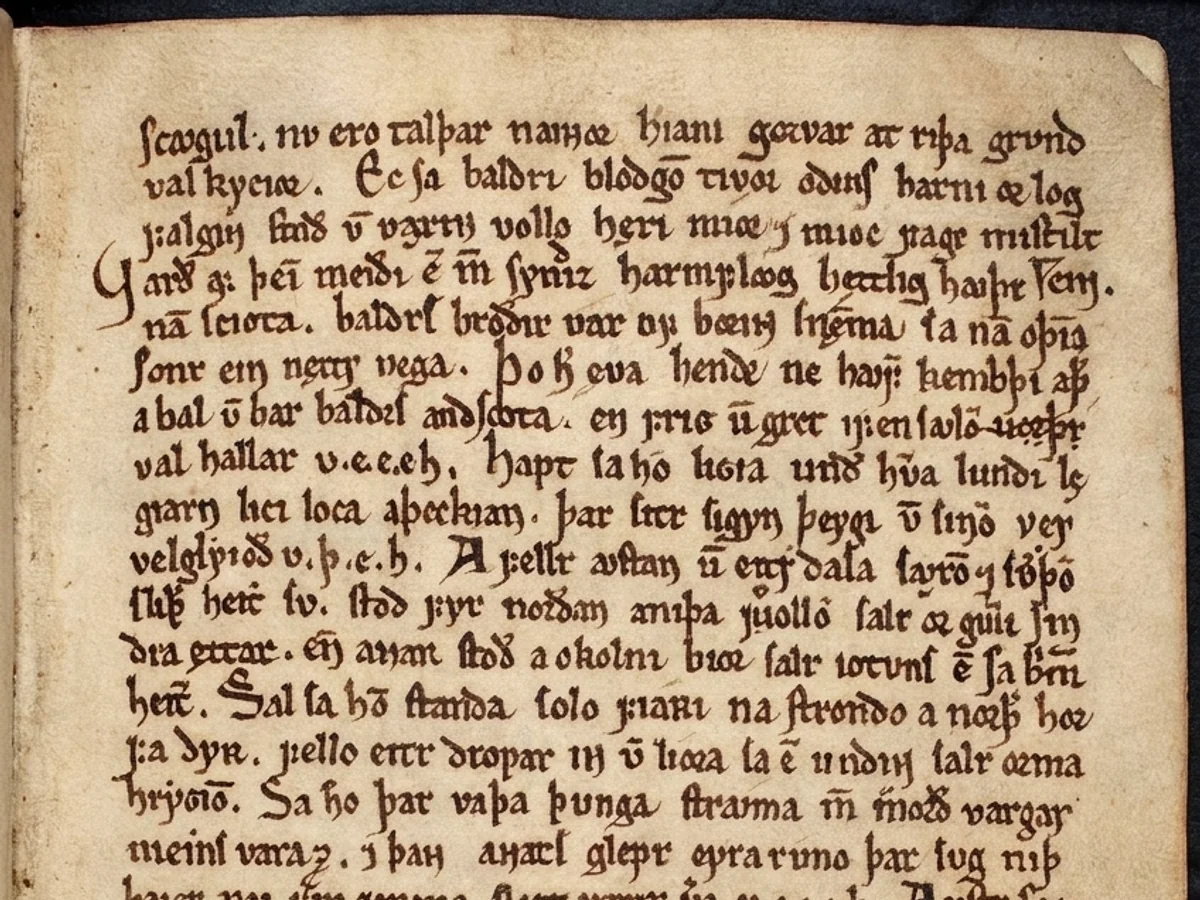
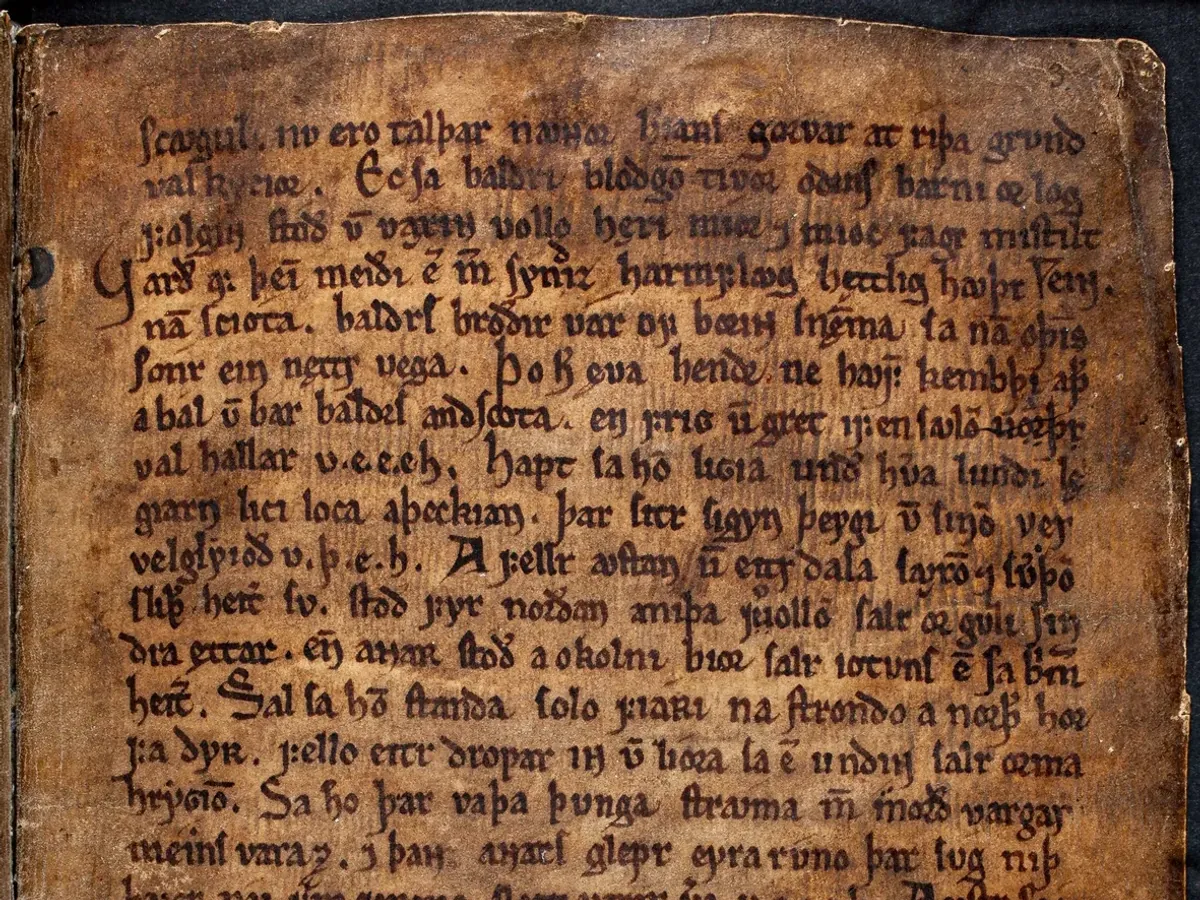
A darkened manuscript leaf, brown with grime and handling, cleaned back to legible parchment while the hand, the ruling and the character of the page are kept exactly as they were.
One precious page, or a whole shelf of them. Old Page Cleaning runs the same either way — here is the damage it takes on, and the records it runs across.
and the records it runs across
Why this is harder than it looks
Old paper accumulates two different things: dirt, which should go, and age, which is often the point. Most cleaning tools cannot tell the difference and flatten both into a blank white rectangle.
What this handles
- Acidic yellowing and browning
- Surface grime and handling marks
- Scanner speckle and dust
- Pencil annotation and smudging
- Uneven paper tone across a sheet
- Age spotting on book plates
How old page cleaning runs
The same three moves on every job, and the third one is the part most tools skip.
Classify the surface
Deposit and noise are separated from the paper's own grain and from anything written or printed on it.
Remove the deposit
Grime, speckle and dust are cleared without touching stroke edges, which is where naive denoising does its damage.
Choose the tone
Set the finished paper to its original tone, natural cream, or archival white - the cleaning is the same either way.
What actually happens to the page
There is a version of clean that is worse than dirty: a 1920s letter processed to look laser-printed yesterday. Here is how the page keeps its age while losing its grime.
Dirt and age are told apart before anything is removed
Deposit and noise are separated from the paper's own grain and from anything written or printed on it. Most cleaning tools cannot make that distinction and flatten all three into a blank white rectangle - which is exactly the outcome archives cannot accept.
- Deposit and noise isolated from paper grain
- Printed and written content excluded from cleaning
- Acidic yellowing separated from ink tone
Grime and speckle go; stroke edges stay sharp
Surface grime, scanner speckle and dust are cleared without touching stroke edges - the place where naive denoising does its damage, softening letterforms into mush. Handling marks and age spotting on book plates lift the same way.
- Speckle and dust cleared, letterforms intact
- Handling marks and age spotting removed
- No global blur that eats fine serifs
Marginalia is preserved, and the tone is yours to set
Pencil notes in the margin are content - on archival material often the most interesting thing on the page - so they are kept by default and captured as text alongside the body. Bound books are handled too: photograph the spread and the spine shadow is corrected in the same pass.
- Marginalia treated as content, not dirt
- Original, natural cream or archival white
- Spine shadow and curvature corrected on spreads
The choices that stay yours
Cleaning is not a single button here. A handful of decisions are kept in your hands, because on old paper they change what the document is.
Clean without whitening
Cleaning and tone are separate controls, so you can lift a century of grime and keep the paper exactly the colour it is now.
Notes are kept
Marginalia and annotation are preserved by default and read back as text; nothing in the margin is removed unless you ask.
Bound books welcome
Photograph the spread rather than pressing the book flat - page curvature and spine shadow are corrected as part of the clean-up.
The original is kept
The untouched capture is always delivered alongside the cleaned page, so the clean-up is never the only copy that survives.
Built to be trusted at the edges
Old Page Cleaning is one capability inside a pipeline built on a single idea: a restoration you cannot trust at the edges is a picture of one.
Everything is read back
Every restored page is read as text and compared against what was legible before, so nothing appears out of nowhere without being flagged.
The original is never lost
The untouched capture is always delivered beside the restoration - the recovery is a new version, never an overwrite.
Refusals are the product
What cannot be recovered is marked, not guessed. The guarantee is built into how the pipeline runs, not asked of a model.
It reads back as data
Fields come out checked against the document's own arithmetic, with withheld values kept in their own column - never mixed with blanks.
One sheet or a whole shelf
Per-page isolation means a single difficult document never stops the run - each page keeps its own progress, result and failure.
Free to try, no card
Free to start, no watermark, and if a document is not recoverable we would rather tell you than sell you a plan.
Where a general-purpose tool goes wrong
The same page, two philosophies. One optimises for a convincing picture; the other for a correct one - and says so when those two part ways.
What most tools do
- Flattens dirt and age into one white rectangle
- Global denoise softens serifs and stroke edges
- Wipes pencil marginalia as if it were dirt
- Squares off the deckle and forces bright white
What Docovly does
- Dirt and age classified and handled apart
- Deposit removed with stroke edges left sharp
- Marginalia preserved and captured as text
- Deckle kept; tone is original, cream or white
What it will not do
Enforced by how the pipeline is built rather than by instructions given to a model - which is the only kind of guarantee worth writing down.
- 1Paper grain and texture are preserved unless you ask otherwise
- 2Annotation and marginalia are treated as content, not dirt
- 3Deckle edges and page shape are never squared off
3
finished paper tones to choose from
grain
and texture preserved by default
content
marginalia kept, never wiped
always
the untouched original delivered too
Old Page Cleaning, answered
What people ask before sending us a document that needs this kind of clean-up.
Have a document you are not sure about?
Send us a photograph of it. We will tell you honestly whether it is recoverable before you spend anything.
Ask usNot unless you ask. Marginalia is content - on archival material it is often the most interesting thing on the page - so it is preserved by default and captured as text alongside the main body.
Put the messy one in first
The grimy, folded, badly-photographed page you assumed was a lost cause. Free to start, no card, and the original is never overwritten.