Halftone dots are a printing method, not damage
Printed material has a screen. Treat it as noise and the picture dissolves; treat it as structure and a 1954 newspaper photograph comes back. Docovly descreens deliberately, at the screen's own frequency.
Captured by article
- Headline
- Harbour Bridge Opens
- Byline
- By our correspondent
- Caption
- Crowds gather at dawn
- Date
- 14 Mar 1954
A cleaning passes across the page; the damage lifts and the text is read back. Every job keeps the untouched original.
Every kind of media & printed material we restore
Newsprint too — screen and all
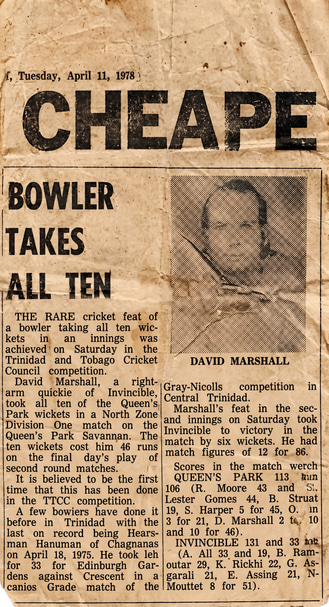
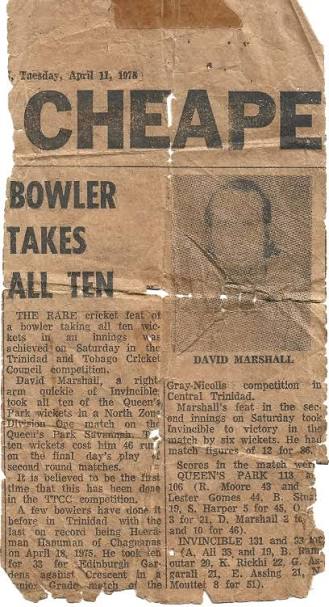
Printed material is not just aged paper: a newspaper is an image encoded as halftone dots. The screen is measured and removed at its own frequency, so the picture underneath comes back without the moire - and the newsprint is whitened only as far as you ask.
150 lpi
screens descreened
article
level capture
tone
your choice
600 DPI
detail out
What goes wrong with these documents
The survey vocabulary is specific to this document family, because the damage is. Recording it is what produces the restoration instruction - there is no prompt box.
- Yellowed and acidic newsprint
- Halftone moire and dot gain
- Ink bleed through thin paper
- Foxing on book plates
- Fold and poster tube creases
- Torn edges and missing corners
Survey, treat, read, deliver
Every job follows the same careful path, and each treatment lands as its own revertible version with a record of what was done.
- 1
Survey the sheet
Log yellowing, halftone moire, ink bleed, foxing and tube creases across the page or poster.
- 2
Descreen deliberately
The halftone screen is measured and removed at its own frequency, so the picture the dots encoded comes back.
- 3
Recover the print
Acidic newsprint is corrected toward paper white and broken type on degraded newsprint is rebuilt.
- 4
Capture by article
Headlines, bylines, captions and body text are captured per story, so a page becomes searchable.
What this console can do to a page
Any treatment can run on a single page or across a whole collection, and each lands as its own revertible version.
Print copy
A clean, readable copy of the page or sheet.
Descreening
Removes halftone moire at the screen's own frequency.
Newsprint recovery
Corrects acidic yellowing back toward paper white.
Column and text repair
Rebuilds broken type on degraded newsprint.
Tear repair
Poster and page edges rebuilt where paper is missing.
Detail recovery
Resolution for reprints, exhibition and facsimile.
Every treatment, shown happening
No sliders to drag - each clip is the fix itself, playing on a loop. The foxing lifting, the halftone resolving, the old hand read back into text.
A field of dots resolved to a photograph
A halftone newspaper photograph descreened at the screen's own measured frequency, so the picture the dots encoded comes back instead of dissolving.
- Screen measured, then removed
- Moire and dot gain cleared
- The picture recovered, not erased
- No generic sharpening or denoise
Acidic yellowing corrected toward white
A yellowed, acidic newsprint page corrected back toward paper white - as far as you choose - while the print stays crisp.
- Acidic yellowing corrected
- Tone taken as far as you want
- Aged character kept if preferred
- Print left crisp
THE ALDORA TIMES
Tuesday · March 14, 1954 · Price twopence
HARBOUR BRIDGE OPENS TO CROWDS
Broken type on newsprint rebuilt
Degraded newsprint whose type has broken up is rebuilt column by column so the story is legible and searchable again.
- Broken type rebuilt
- Columns kept in order
- Captured by article
- Searchable by story
COUNCIL PASSES NEW BY-LAWS
Halftone dots are a printing method, not damage
Printed material has a screen. Treat it as noise and the picture dissolves; treat it as structure and a 1954 newspaper photograph comes back. Docovly descreens deliberately, at the screen's own frequency.
- The halftone screen is measured and removed at its own frequency.
- Acidic yellowing is corrected toward paper white - as far as you want.
- Broken type on degraded newsprint is rebuilt, not blurred.
- Text is captured per article, so a page is searchable by story.
Descreened
- Screen
- 150 lpi, measured
- Tone
- your choice
- Articles
- captured separately
10 document types
Everything this console takes in
Pick the type before you upload and the uploader, format rules and checks follow from it.
Captured as data
What is read back off the page
Every field carries its confidence and its source crop, and anything that fails a check is withheld into its own export column rather than delivered.
Capture guidance
Get this right and everything downstream is easier
- 1Scan at 600 DPI for halftone material so the screen is resolvable.
- 2Do not press bound books flat - photograph the spread instead.
- 3Capture posters in sections if they exceed your scanner bed.
The jobs this console is built for
Real reasons people restore these documents - an exhibition, a family album, a searchable archive before the paper gives out.
A newspaper front page
Yellowing corrected and the halftone photograph descreened so a 1954 front page reads and prints cleanly.
A poster for reproduction
Tube creases and torn edges rebuilt and the sheet brought to reproduction resolution.
A book plate for a facsimile
Foxing lifted off a book plate and the halftone resolved for a facsimile edition.
150 lpi
screens descreened
Printed material has a screen. Treat it as noise and the picture dissolves; treat it as structure and a 1954 newspaper photograph comes back. Docovly descreens deliberately, at the screen's own frequency. The untouched original is always delivered alongside the restored file.
A legible copy of a document you already hold
Restoration is a reading aid and an archival tool. Being plain about the line it does not cross is part of the product.
- Restores books, newspapers, posters and printed media
- Descreens halftone at its measured frequency
- Corrects acidic newsprint toward paper white
- Captures a page article by article
- Erase a halftone picture as if it were noise
- Force yellowing to white against your wish
- Invent type where the newsprint is gone
- Discard the untouched original
“The halftone photograph on our 1954 front page came back as a photograph, not a field of dots. Descreening at the right frequency made all the difference.”
Media & Printed Material, answered
The questions people ask before sending us this kind of document.
Have a document you are not sure about?
Send us a photograph of it. We will tell you honestly whether it is recoverable before you spend anything.
Ask usA printed photograph is made of dots. Generic sharpening amplifies them into moire and generic denoising erases the picture along with them. Removing the screen at its measured frequency recovers the image the dots were encoding.
Also in Heritage & Media
Try it on your worst media & printed material
Free to start, no card. The untouched original is always delivered alongside the restored file.